@My1 Thanks for getting back to me. I forgot to tag you in my last post but it was intended for you. I must say I’m completely exhausted by all this and it’s beginning to look hopeless, yet I can’t afford the option of simply giving up.
I’ve been going through all the addresses that I received from my exchange and the weird thing is that I’m finding all my coins in different wallets but the BTC accounts don’t show the amount it should be… they show much smaller amounts strangely! I’ve written down exactly how much I have yet it’s only showing a fraction of that. This makes me freak out again that maybe I’ve been hacked after all?
I have my passphrase written down so it can’t have punctuation etc. If it did I would remember of adding that. I’m confused and it seems thus nightmare doesn’t want to cease…
I can try more variations but it seems a bit fruitless as that would derivative from the fact that they’re written down. I don’t know.
I’m more than happy to keep trying any new suggestions, it’s a mystery that I need to solve
Well if you only have the blockchain to look at that’s semi normal to say the least. On bitcoin (and similar coins) you generally make a new address for each transaction to at least have some level of privacy, that way no one immediately sees all the coins at one place if they dont know tej relationship.
If you have your extended public key (xpub) you can easily check all addresses on a single account, but i wouldn’t use that on some random website as the xpub has the ability to derive all addresses of that account, past and future.
Also did you set up trezor suite to remember the old wallet with your life savings on any computer you still have access to, if yes, that is a great deal of info you can pull from that.
Well i can understand the idea, i mean worst case they try a ton of stuff and don’t get anything, and having a percentage but only after a success does at first glance make sense as an idea, but interesting you are also in Germany.
oh okay the way you worded it I thought you looked at them because they were there (implying you were too)
20% definitely is a hefty sum, I think the thing to think about would the 20% loss cause you enough of a problem to continue trying and failing yourself or would you rather just get back the 80%. I obviously cannot answer that for you.
the only things I can say tho is that if the wallet is empty (as in never used before) then that means you are on the wrong wallet, be it due to wrong seed, wrong passphrase, or the transaction not having gone to the trezor’s wallet in the first place (like with Metamask)
by the way do you have access to any transaction log from where you got the coins (e.g. an exchance), that may also give out some clues about the whereabouts of your coins especially as some exchanges (notably binance) also give you the option to not send over actual bitcoin or whatever but to send out the coins as a “token” on another blockchain like Ethereum or the Binance Smart Chain
no, not possible to tell what wallet your address comes from, it is derived from the seed
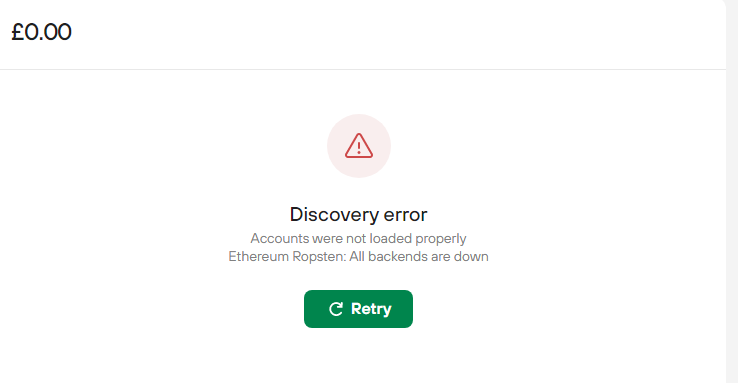
you are not using or looking for Ropsten, that is a testnet for ETH, turn it off in the settings/coins. (unless you have actually send coins there)
We have answered all your issues and questions both here and in the ticket, happy to answer more, but as other users here are telling you you have passphrase/seed issue,
@forgi Ok, thanks for your replies, that clarifies some things.
The main mystery still remains though, how can it be that after using the same combo that I used in the past, and especially as they’re all written down (!) I still don’t have access to my wallet?
This is the main crux and I’m still not able to answer it. I don’t know what else to ask, i’m not an expert by any means, but I’d be very happy if I could get some more suggestions of what I should/could be trying to solve this problem
@CryptoSOS another thing that I can think of was that you also must have a separate metamask seed, so there could be another mixup with that.
Also, try to install Metamask in another browser and connect your Trezor to it just in case you have selected some address from further down the list before.
@forgi Ok, I will try the mentioned recommendations
I wonder, if I were to reset my 1st wallet and put the seed from my 2nd wallet into my 1st wallet, using the same PIN, would I have the same wallet installed on 2 separate wallets this way, or would this cause any issues?
@forgi I see, I suspected that. I’m just thinking of ways to connect the Trezor to a different computer, maybe try a different browsers, but that might not make any difference as it would still be through my Windows OS.
Alternatively trying my Trezor on my friends computer, but could that jeopardise my hardware wallet to be infected by a bug perhaps?
Any way I could try it on another computer basically…