Hi @walterino,
Every information you need is in the last post from me in this thread: Wrong balance or transfer lost via Arbitrum One - #7 by radekP
Simply put, you need to follow these steps:
- Connect Trezor to MetaMask (make sure to choose the connect the ETH address that includes your ETH on the Arbitrum network). You need to choose the correct derivation path:
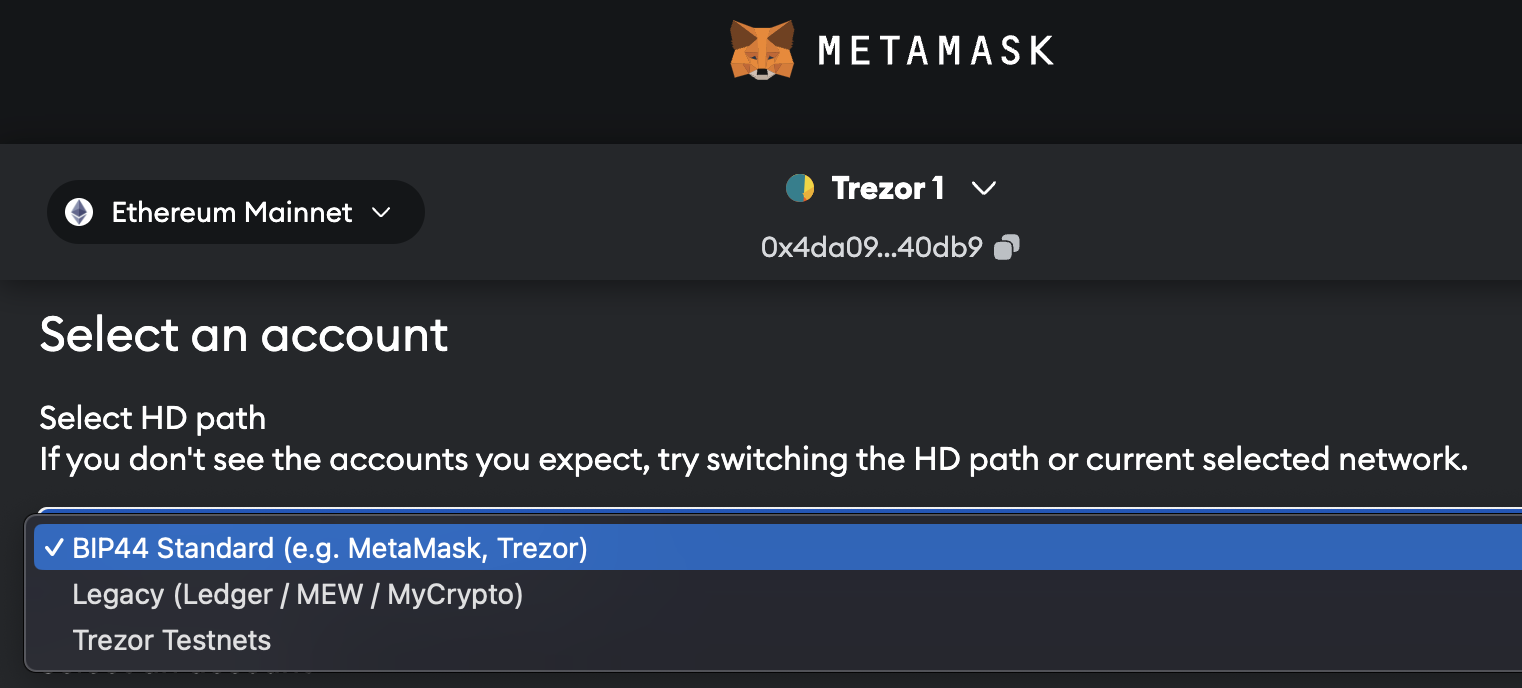
-
Then you need to add the Arbitrum network which is so-called EVM (Ethereum Virtual Machine) chain. Example on how to add EVM to MetaMask (with a different EVM though): How to use EVM compatible chains with Trezor (Matic, Avax)
(you need to find “Arbitrum One” on chainlist.org and add this network) -
You should see your ETH stored via the Arbitrum network. If you want to see these ETH in Trezor Suite, you need to send them back to your exchange and then send it from the exchange to your ETH address, this time using the native Ethereum network.