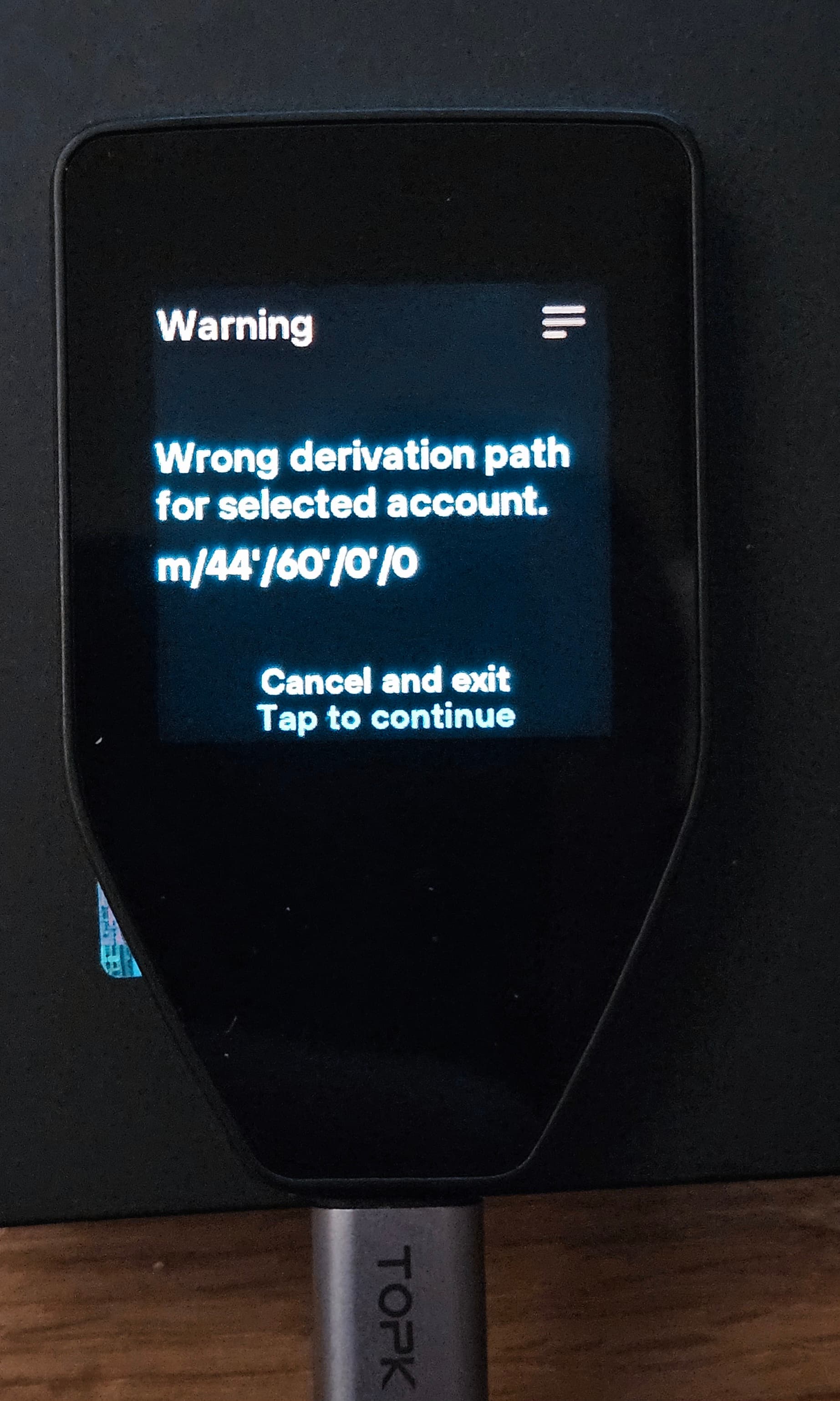
when I add a Trezor 5 HW wallet to MetaMask browser extension there’s a validation option when establishing the connection. I keep getting a warning: Wrong derivation path for selected account. m/44’/60’/0’/0
When I connect Trezor5 I enter my PIN to connect and I see it connect in Trezor Suite.
Next I go to my MetaMask browser extension and select the option to add HW wallet. In the following steps I choose the validate option, I get this warning on the Trezor 5 screen .
I tried this with MetaMask on the Chrome browser and FireFox browser. Same result every time.
Next I removed everything and started from scrath:
1 deinstalled the MetaMask extension, installed it, recovered the MM soft wallet with seed phrase.
2 deinstalled / re-installed the Trezor Suite
3 Wiped my Trezor5 via the Trezor suite, and recovered it using my 20 word seed phrase.
4 retried adding Trezor5 wallet to Metamask.
5 Unfortunately, I still get the same result when verifying - Trezor5 shows Warning wrong derivation path for selected account. m/44’/60’/0’/0
I was working on a Trezor5 account address yesterday. I have the address and there’s about $ 110 of crypto tied to it, after a while I could not authorize any new transactions using Trezor 5.
So, I decided to restore everything. However, now after restoring, that specific address I was working with no longer shows up in the list when creating the connection between Trezor 5 and Metamask. Is there an option to copy/paste my address somewhere to get it back?
Or have I forever lost access to that account address ?
UPDATE - derivation path issue persists. However, I did recover my HW wallet in Trezor Suite.
I was doing so many things when setting things up on a 2nd browser, and I must have accidentally created a passphrase wallet at some point without actually realizing what I did.
Thinking back carefully, I did create a password. I remembered it and was able to open the “lost” account. After that in MetaMask, I added the Trezor HW wallet, which allowed me to connect to the correct address.
UPDATE 2 - If I ignore the warning, I can use Trezor5 without problems.
After many experiments I concluded: If i want to use Trezor 5 with a 3rd party wallet like MetaMask or Rabby then only activate the HW account what you want. Or Standard, Or Passphrase type. In the end, I settled for only 1 passphrase type from Trezor, and stuck with it. I tried these cases, eventually with success:
adding a Trezor HW wallet to Metamask to Firefox extension
adding a Trezor HW wallet to Metamask to Chrome extension
adding a Trezor HW wallet to Rabby extension for Chrome
adding a Trezor HW wallet to Rabby Desktop
I had the smoothest experience when setting up with Rabby. The flow during setup was very clear and quick.
I’m just left wondering what are the steps to add more than one Passphrase account from Trezor to a 3rd party wallet?