We have some great news to share about Trezor support of the Midnight airdrop! The new firmware for Trezor Safe 5, Safe 3, and Model T (version 2.9.1) supports the message signing needed to complete the claim process on the Midnight portal directly.
First things first: Check if you are eligible for the claim
If you have any questions about claiming $NIGHT tokens using this method feel free to create a ticket via our Chatbot Hal or post in this forum thread forum.
Please keep general discussion about the Midnight airdrop, including discussion of any alternative, unofficially supported claim methods in the Midnight airdrop general discussion thread.
thanks @NickW , really appreciate you guys getting this over the line. Never doubted you…
That said, I am falling at what i think may be the final hurdle, i have followed your process above, all goes well until i get to signing in Trezor Suite (i’m using a Trezor T)
I add the message
In the address field I am copying the address that comes after ‘When signing please use the keypair of the following address:’ in the claim portal - IS THIS CORRECT?
i then press sign and get the following error message
@Klaus Please navigate to Settings > Device and check if your device is running the latest firmware, version 2.9.1. You need to follow the above directions, including joining our early access program at this time to update it.
Thank you for the update! I am still having issues claiming on the BTC network. My BTC is on
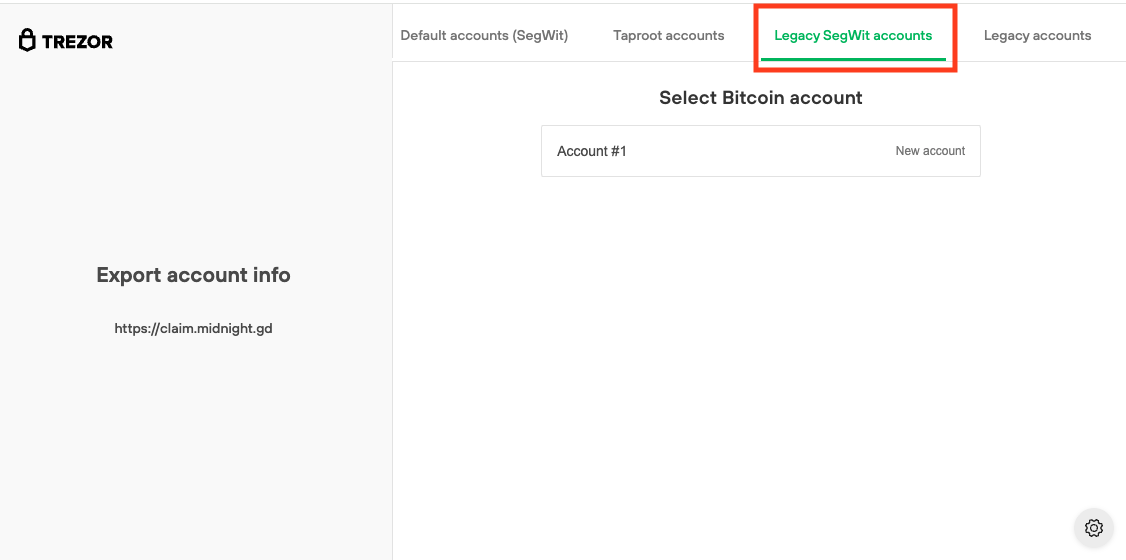
Legacy SegWitt accounts. The Midnight claiming portal states the wallets are ineligible. Both of the accounts in question have been used for years. Also have one of my ETH accounts with the same issue. On a side note all other eligible wallets have been completed claimed. Just having issues with these 2 coins. Thank you in advance for your help!
I have upgraded Trezor Suite to 25.9.1 OK. I can connect to Trezor Model T OK. When I try to do the firmware upgrade from Universal 2.8.10 to Universal 2.9.1, after confirming that I have a wallet backup, then pressing “install firmware”, I get the message
Hi. I am trying to find the Early Access Program to no avail.
Trezor Suite Web Application
Settings > Application Tab > Experimental → Toggle on “Experimental features”
then in the Experimental area the following 2 options appear
*Migrate Dropbox passwords
*NFTs
…but no mention of early access program.
Is the early access program only for Trezor Suite downloaded application?.. but not the web interface?
I downloaded the desktop application and found the Early Access Program there.
It’s not present on the web application FYI. Might want to update the guide to reflect that.
Nick
I know the specs of the air drop. My accounts should be eligible for the claim. 2 of my BTC accounts keep popping up ineligible. Same thing with one of my ETH accounts. I followed your instructions and still keep getting the same results. Please advise!
Thank you for your help. I have been in the space since 2017. I am not a developer or a coder. I do know enough to navigate thru most things. Just trying to maximize my investments as possible. I know this is frustrating to you as well, but I am not a noob. I should be able to get this figured out with a little help from you.
@Schorse66 Regarding your question about XRP, unfortunately, given the lack of standardization for signing off-chain messages on the XRP Ledger, we cannot implement a message signing system with Trezor. It appears that the Midnight team selected a non-standardized signing method supported by XAMAN wallet and its associated Xumm ecosystem.
For that reason, we don’t have a path to add support for XRP message signing in Trezor Suite. It isn’t a matter of development capacity so much as the absence of a broadly adopted, secure standard we could implement consistently across our devices.
While it is theoretically possible to import a BIP-39 wallet backup (formerly recovery seed) into the XAMAN wallet, the risks are serious enough that it is not something we recommend. Doing so would expose your recovery information to a hot environment, which means the wallet could no longer be considered secure, and you would need to move your funds already on the Trezor elsewhere first. Therefore, it has to be said that the claim process for XRP through XAMAN adds significant extra steps and complexity (needing to move funds to a new backup, making multiple claim signatures and transactions at different times with the old wallet, etc.). For many users, the practical benefit of doing so may be limited compared to the effort and risks involved.
I know this isn’t the answer you were hoping for, but I want to be transparent so you can plan accordingly. Trezor’s focus has to remain on implementing message signing only where secure, standardized approaches exist, so that support is consistent and trustworthy.
@raine thanks for reporting. This is a rather unusual error, and I’d appreciate if you could please clarify the following
Was your Trezor setup recently (within the past 3 months)?
Has this error happened repeatedly?
Do you have a stable internet or WiFi connection?
Just to confirm, the error reads exactly "Installation failed: Error: Unexpected header"? Usually such an error is not associated with firmware installation.
If you are still getting the error message, it might be a good idea to create a support ticket via our Chatbot Hal. My colleagues in support agent could assist you with getting your Trezor Suite logs, and do a deeper investigation.
 https://claim.midnight.gd/