My smartphones (plural!) fail scanning QR codes whose “frame” is dark. They need to have a light-coloured frame around the QR-code chessboard pattern to scan the QR code successfully. I suppose that most smartphones have this requirement.
Therefore, the Trezor Suite dark mode needs to be fixed accordingly (same with Windows Desktop version and web version on Windows Firefox or Chromebook Chrome, so I suppose all Trezor Suite variants are affected equally).
Let me illustrate with some images:
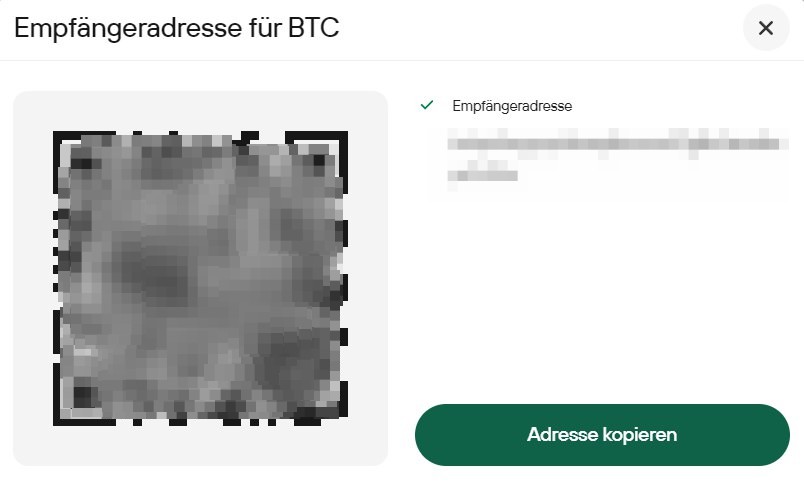
(1) This is how Trezor suite looks today for the receive address in the normal light mode - here all works well! Note the light-grey (almost white) frame around the QR-Code:
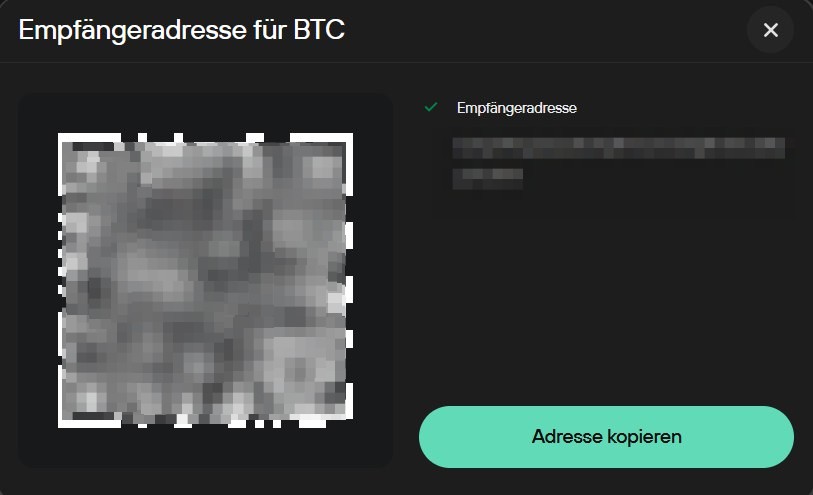
(2) This is how Trezor suite looks today for the receive address in dark mode! Note the black or almost black frame around the QR-Code!This causes QR code scanners to fail:
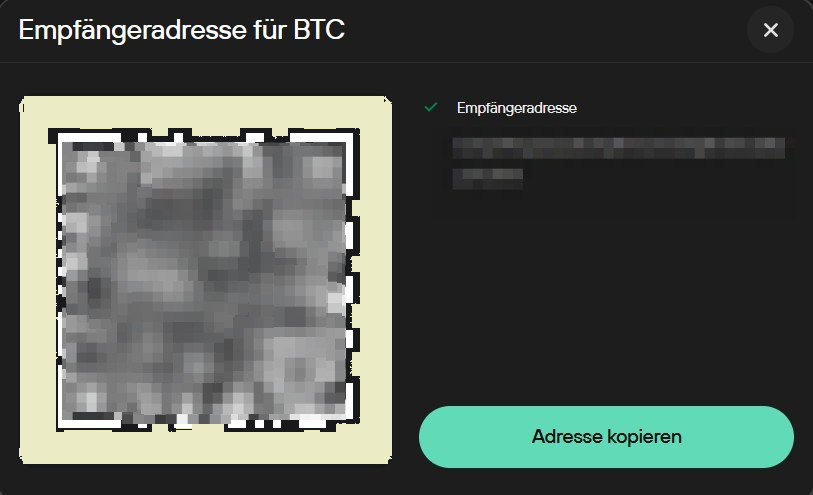
(3) The folowing is my personal photo-editing of the dark mode image - here I replaced the black frame with a light-coloured frame! This is how the dark mode NEEDS to be implemented to allow proper QR code scanning:
In summary, programmatically, the frame colour around the QR-code chessboard must not be auto-determined by the colour scheme, but it must be set as “light colour” manually by the programmer, so it must always be light, also in the dark mode!