Please, keep in mind that if you use the same recovery seed and passphrase for the hidden wallet, the same ETH address will be always generated.
Also, USDT sent via BSC (USDT BEP20 token) cannot be seen directly in Trezor Suite as BSC is not supported there. You need to use a 3rd party wallet that supports Trezor and BSC. You can use for example MetaMask, information on how to connect Trezor with MetaMask can be found at https://trezor.io/learn/a/metamask-and-trezor. Keep in mind that you need to connect the ETH address that includes your funds in the step “Select an account”. If you used passphrase, you need to enter exactly the same passphrase when exporting public keys to MetaMask.
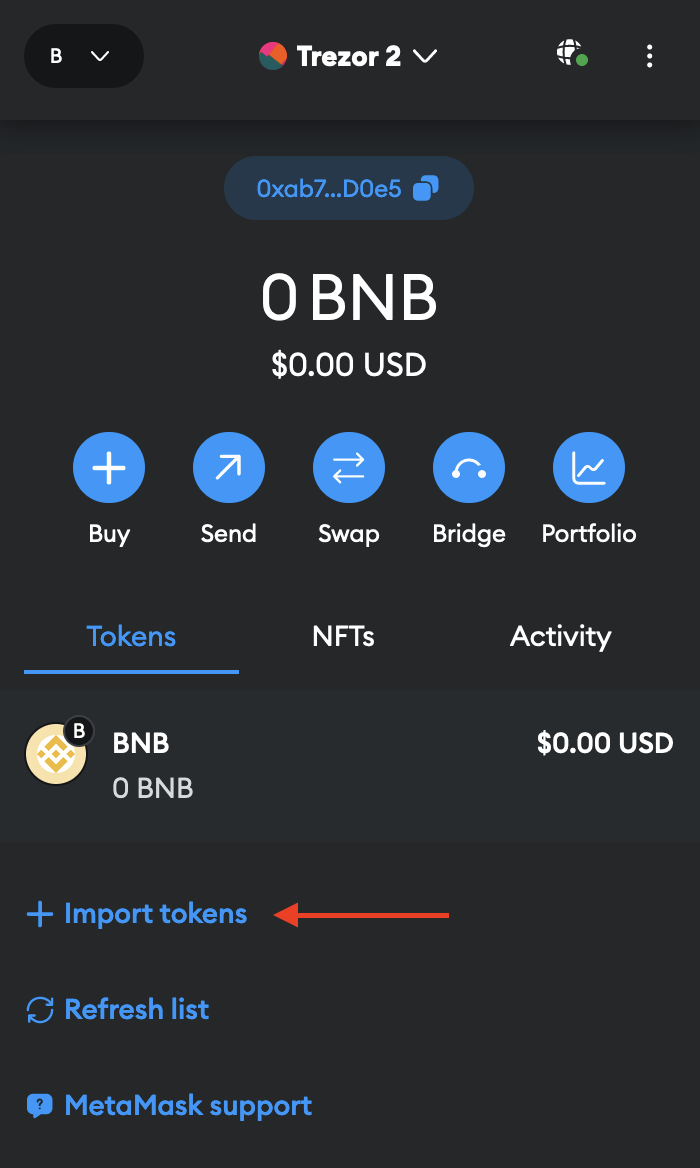
In the last step, you need to add USDT BEP20 token to MetaMask connected to BSC. Select “+ Import tokens” and insert the contract address of USDT BEP20 (0x55d398326f99059fF775485246999027B3197955) to the field “Token contract address”