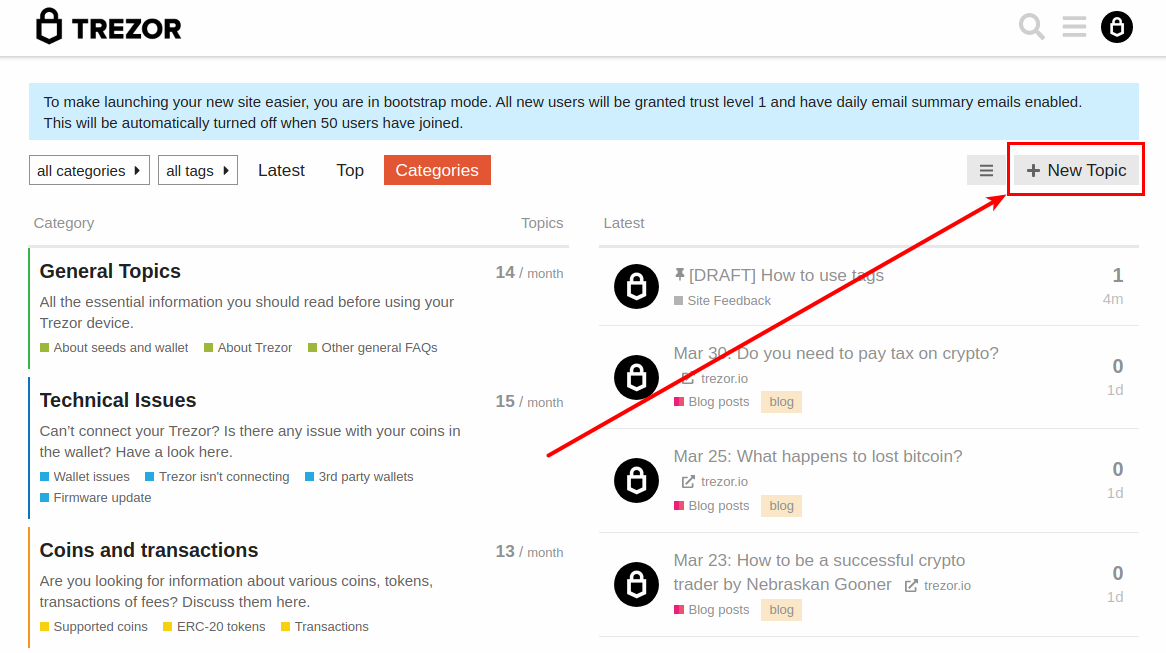
Click on the New Topic button in the top right corner.
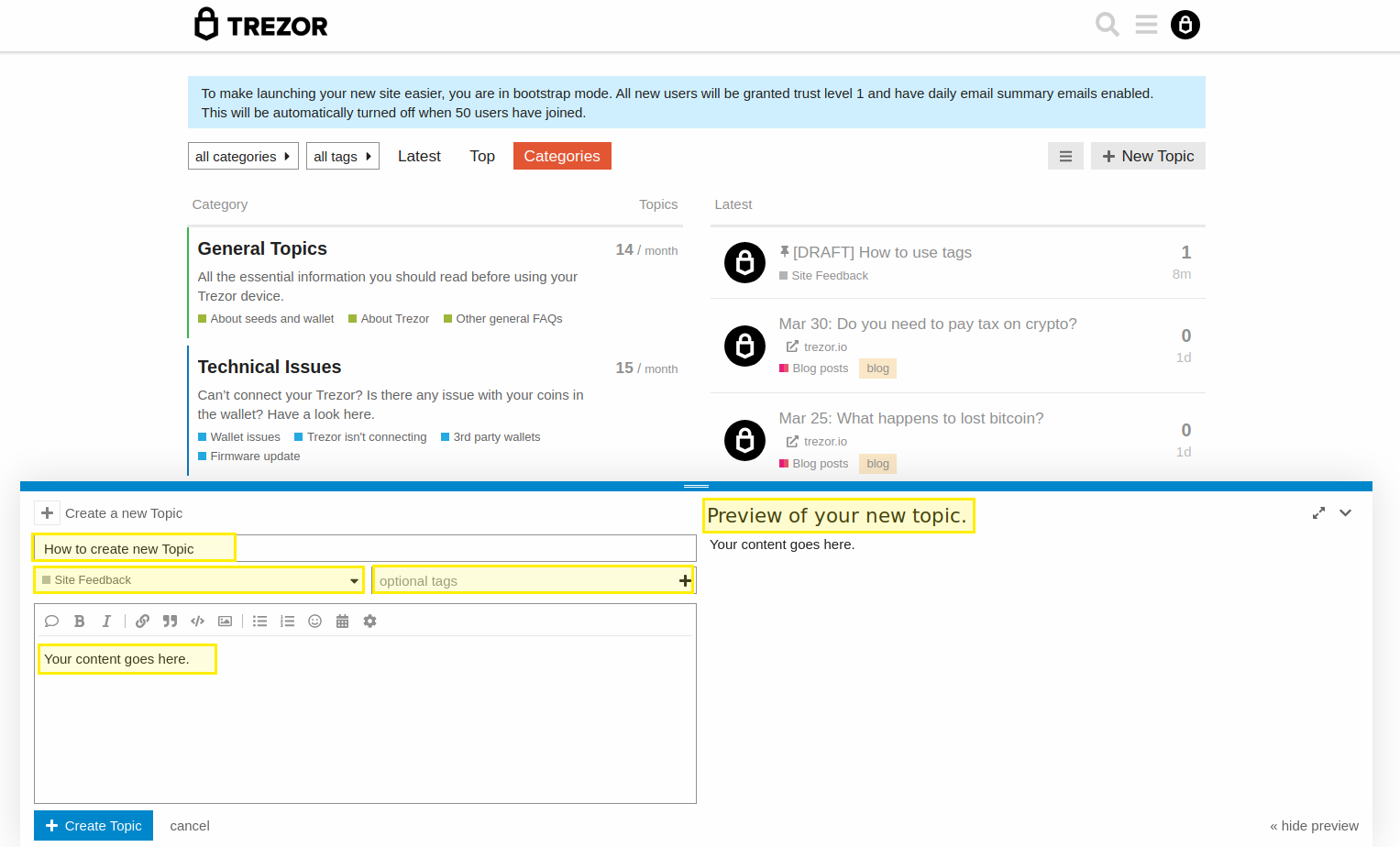
Add post content. Include title, category and optional tags. Describe what you ask for in the body of the topic. You will see a live preview for your topic on the right side. This can be hidden by clicking
on hide preview in the bottom right corner.
How to use the tags is explained in this topic: https://staging-forum.trezor.io/t/draft-how-to-use-tags/131.