Hi @george.pasca,
I can confirm that Vetter on the BSC is supported by Trezor devices. However, BSC is not natively supported in Trezor Suite. You need to use 3rd party wallet (for example MetaMask). Information on how to connect Trezor with MetaMask can be found at https://trezor.io/learn/a/metamask-and-trezor.
After you connect the desired ETH address to MetaMask, you need to add BSC. Please visit https://chainlist.org/, find “BNB Smart Chain Mainnet”, and select “Add to MetaMask” then “Approve” and “Switch network”.
The last step is to add the desired token (Vetter). Choose “+ Import tokens” on the “Tokens” tab:
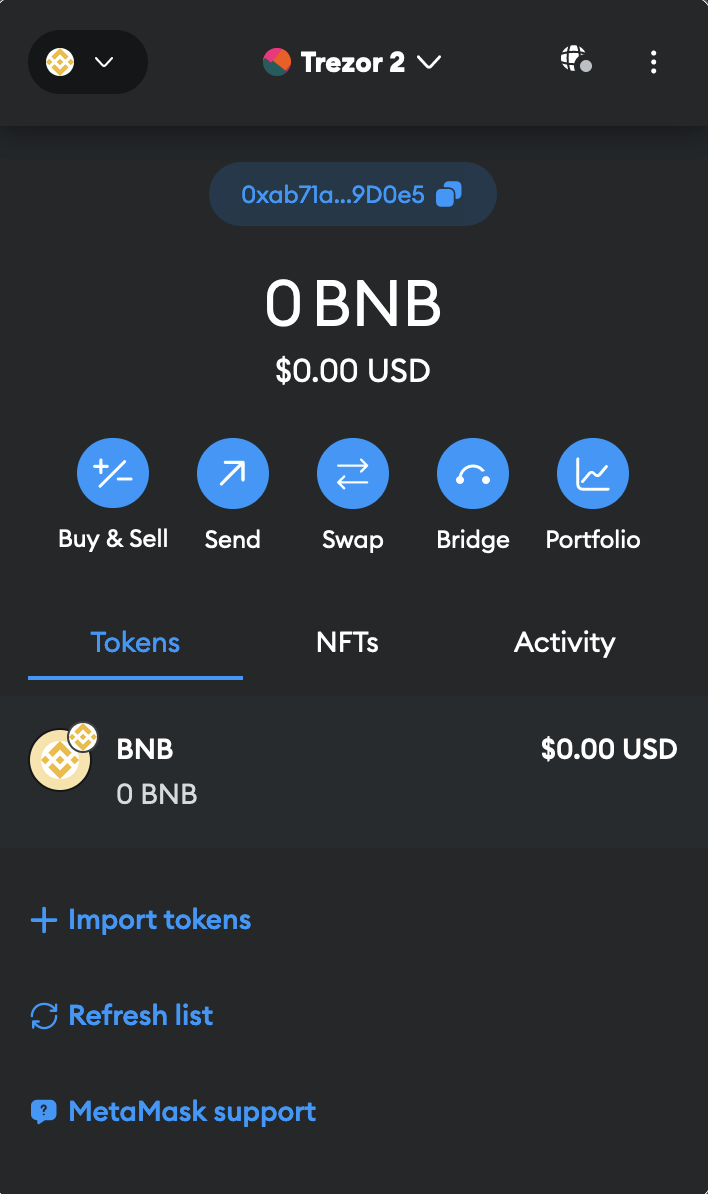
Insert contract address of Vetter (0x6169b3b23e57de79a6146a2170980ceb1f83b9e0) to form “Token Contract Address”, select “Add Custom Tokens” and “Import Tokens”
You will then see the Vetter on the BSC in your MetaMask (connected to the ETH account protected by Trezor device). Simply send your Vetter BEP20 to this ETH account then and you will be able to see and manage it via MetaMask.