(reply, part 1)
Yes, if a coin or token isn’t supported by your Trezor device, you’ll have to look at other options outside Trezor, if you want to buy them – either self-custody hardware/cold storage wallets or software/online wallets (not recommended).
You can check if “your” coin/token is supported by Trezor in the official Supported coins list by searching for it there. Trezor model T supports more coins than model One. Note that even if a coin/token is supported by your Trezor device (Model T), it isn’t always supported by the software Trezor Suite and then you must use a 3rd party software solution, like for instance MetaMask (MM) to see and handle it.
There are literally hundreds of different Ethereum ERC-20 tokens and more are added constantly, so the only way to know what a coin or token is and what transfer network it uses, is to search on Internet. Here are some search resources I remember from the top of my head right now (most also double as block chain explorers):
Etherscan (Ethereum coins and tokens)
CoinmarketCap (for all/most coins, incl. Ethereum ERC-20 tokens)
Chainlist (Ethereum Virtual Machine (EVM)¹ coins)
BscScan (Binance BNB coins)
BtcScan (Bitcoin)
Basically, when you search and don’t get a hit in a resource, it’s because it’s another type of coin/token. CoinmarketCap will often tell you what it is anyway – unless the coin is so new that CoinmarketCap hasn’t added it to their list yet.
Remember to always use the correct transfer network when you send coins/tokens, don’t be tempted to use a non-supported network because it’s cheaper. Some coins support alternative networks, but if you’re in doubt then always use the safe route. If you send a coin through the wrong network it ends up in the wrong blockchain and may not be recoverable later (there are a few exceptions).
¹ About EVMs, I wrote something about it a couple of days ago, here.
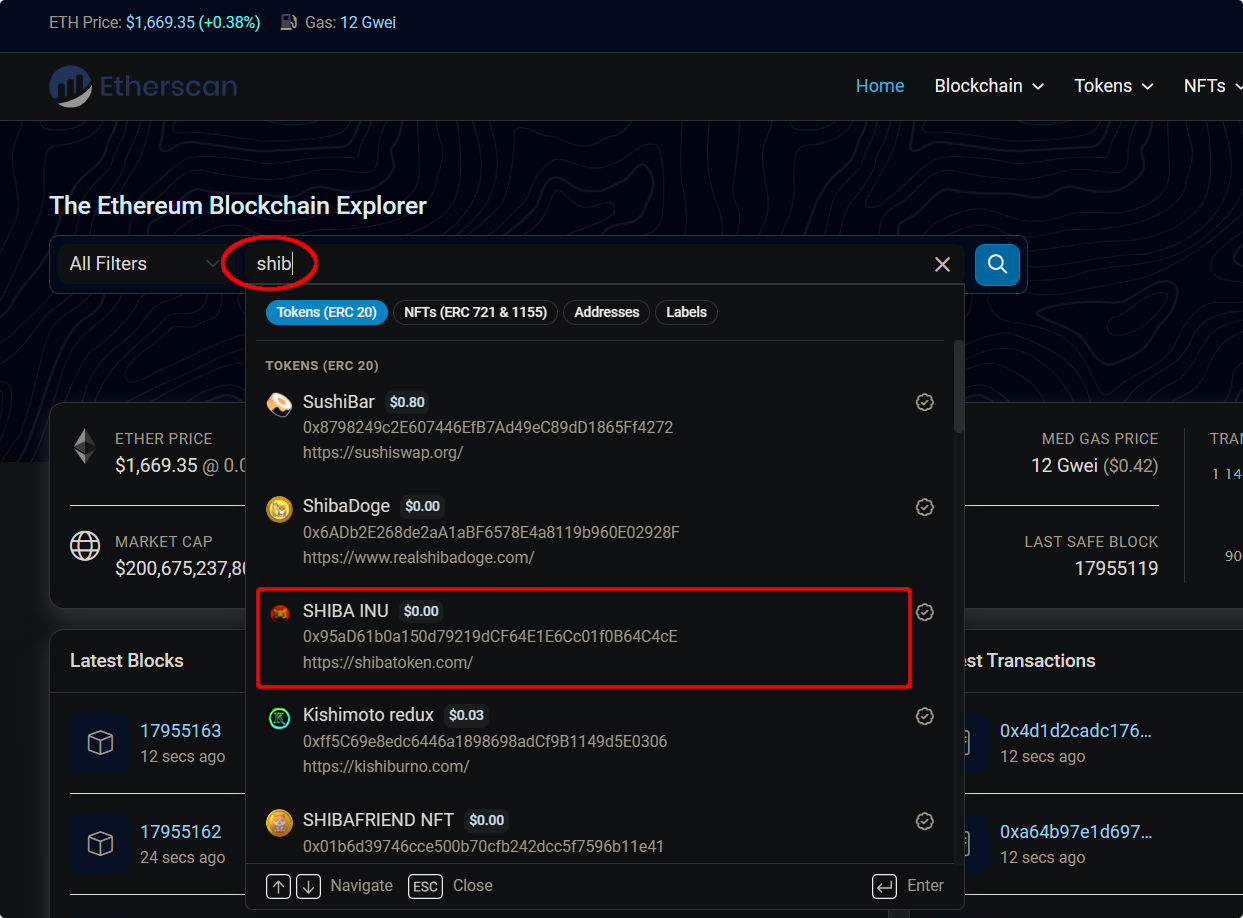
Here’s an example of how to see if it’s an ERC-20 token, using Etherscan as resource and searching for Shiba Inu (SHIB) as example:
When you click on it, you’ll see this image:
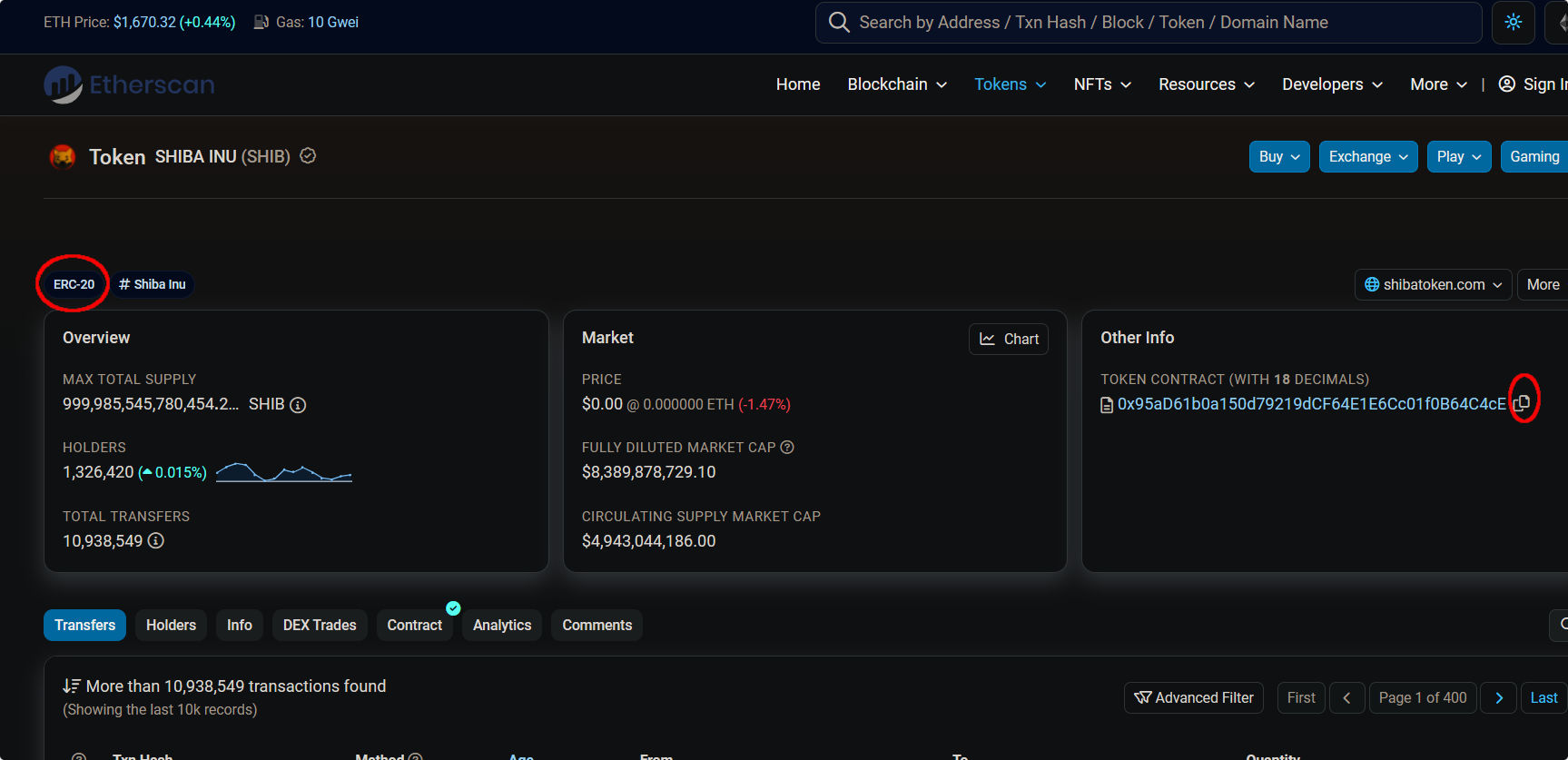
Notice that Etherscan says it’s an ERC-20 token and under “Other info” to the right it lists Shiba Inu’s contract address, which you can copy by pressing the symbol to the right of it. You’ll need this address when you send transactions.